01 · START
Start with your design.
Choose a library model or import your own STL.
Unfold, nest and export G-code in one app, or send DXF to your own CAM. For fabricators who cut ACP on a CNC: facades, signage and more.
Perpetual license · 12 months of updates included
By purchasing, you agree to the Plyra License Agreement and the Plyra Privacy Policy.
*ACP: Aluminium Composite Panels
Choose a library model or import your own STL.
Choose a library model or import your own STL.
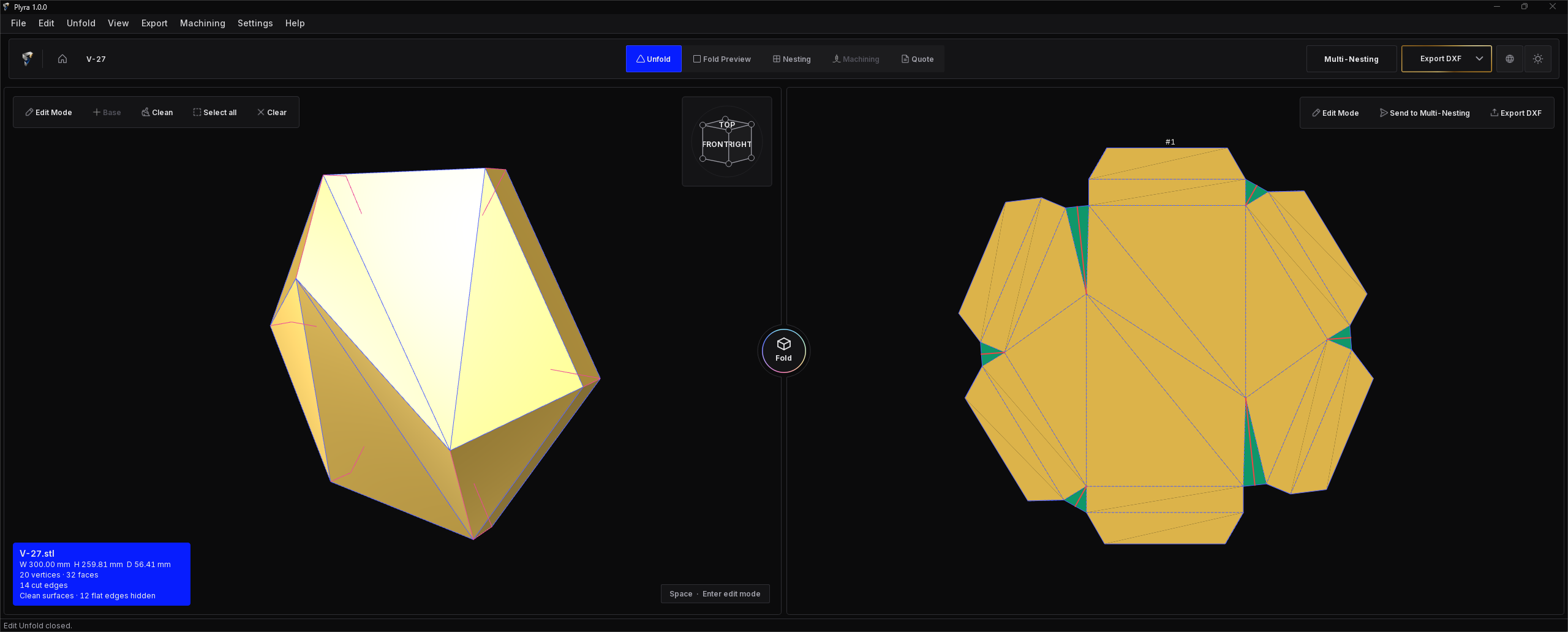
Adjust your model and generate its flat pattern.
Preview the folded result in 3D.
Nest different parts together on your stock sheet.
Use the current nesting sheet directly, without re-importing a DXF.
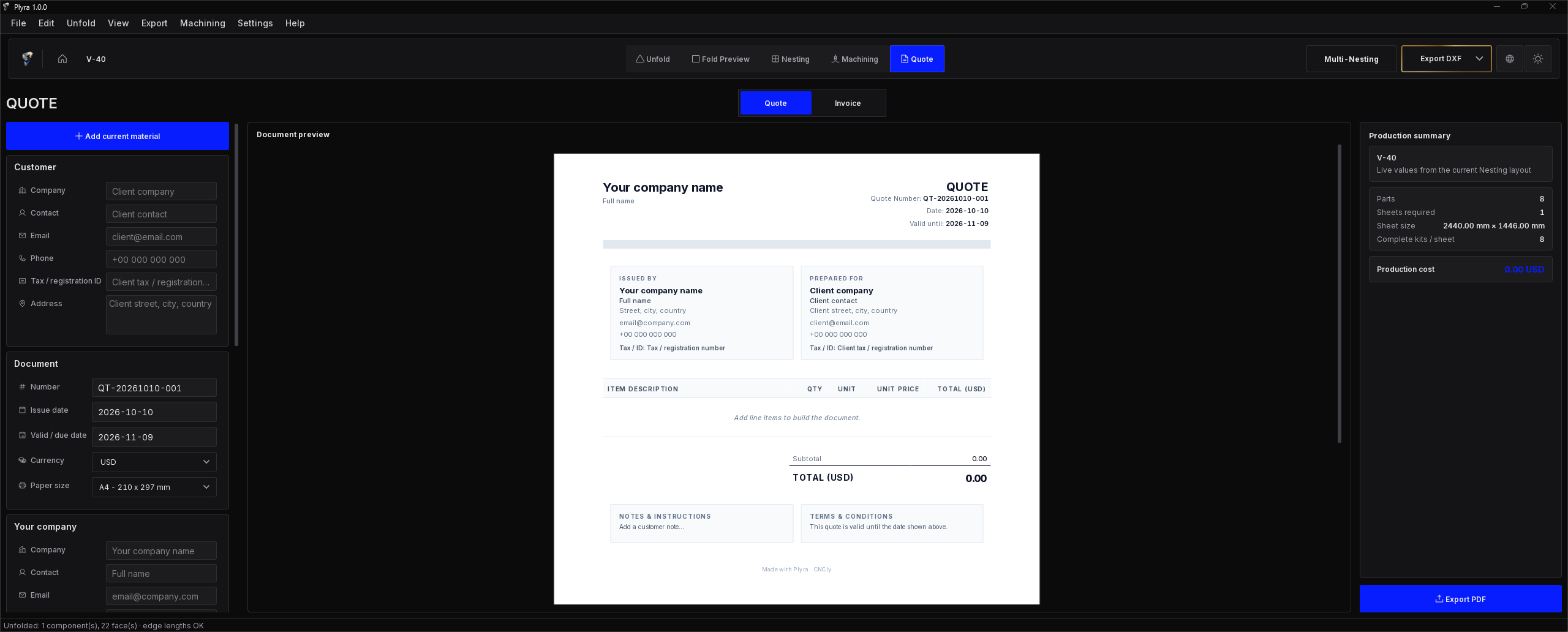
Create a quote from your project.
From flat patterns to machining preparation.
Adjust your geometry and generate its flat pattern.
See how your panel comes together.
Generate a base panel for support and mounting.
Add and customize assembly connectors.
Split parts or join adjacent faces.
Prepare a client-ready quote from your project.
Included in Plyra 1.0.0
From your nesting sheet to your CNC.
V-grooves and contours, a real-time simulation, then checked G-code. No DXF to re-import.
Preview material removal before export.
Set groove depth or remaining skin using your V-bit’s angle and flat tip.
Prepare contour cuts for outlines and holes.
Add automatic or hand-placed tabs to outlines and holes.
Layered DXF export is included.
Export layered DXF to your CAM for toolpaths and G-code, or prepare, simulate and export G-code with Machining in Plyra.
Export layered DXF to your CAM, or prepare, simulate and export G-code with Machining in Plyra.
Plyra includes 56 ready-made ACP designs. Explore more in the online Design Library, adjust dimensions and unfold for fabrication.
Loading the collection…
Included with every license, with 12 months of software updates and new library designs.
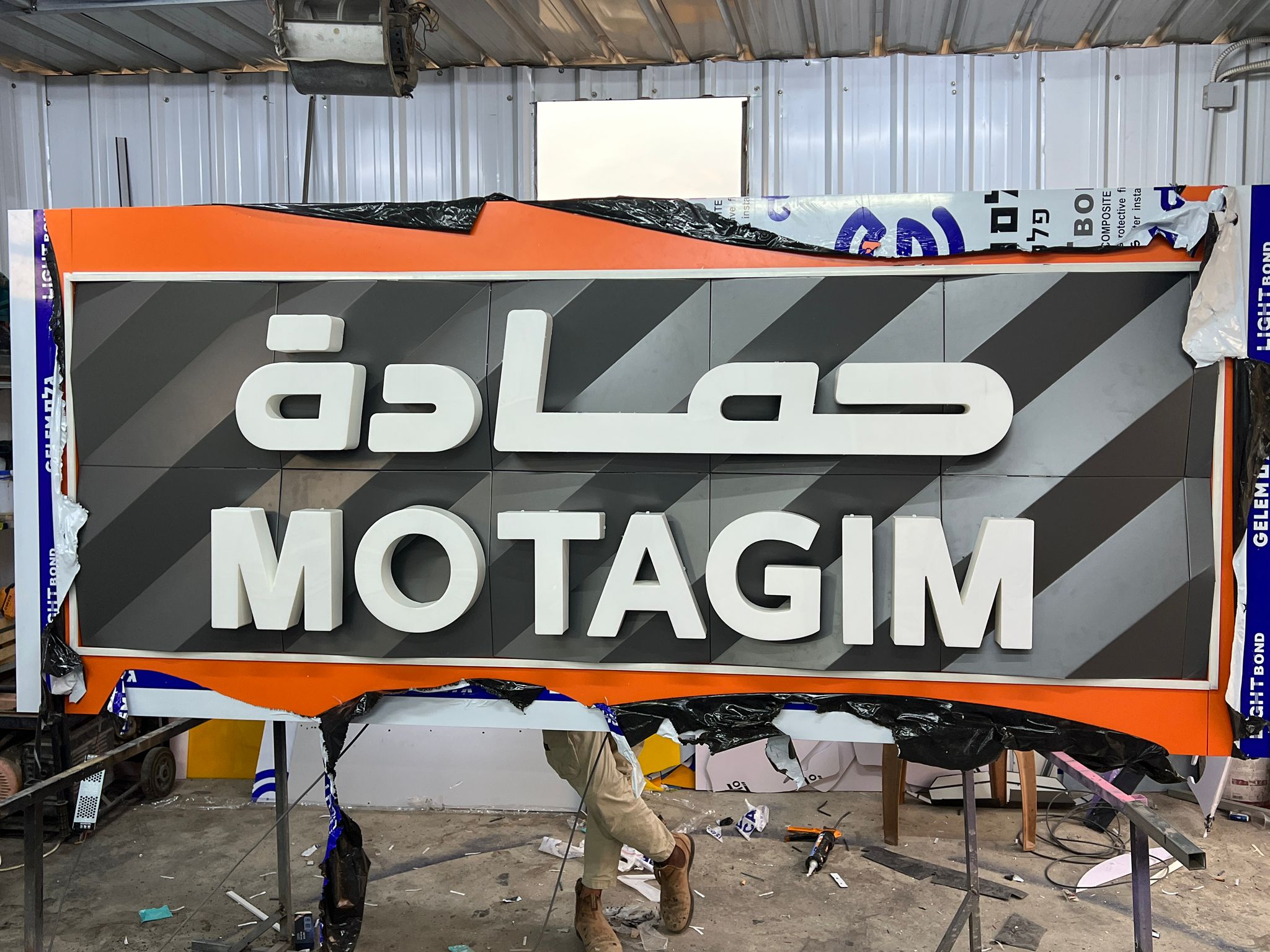
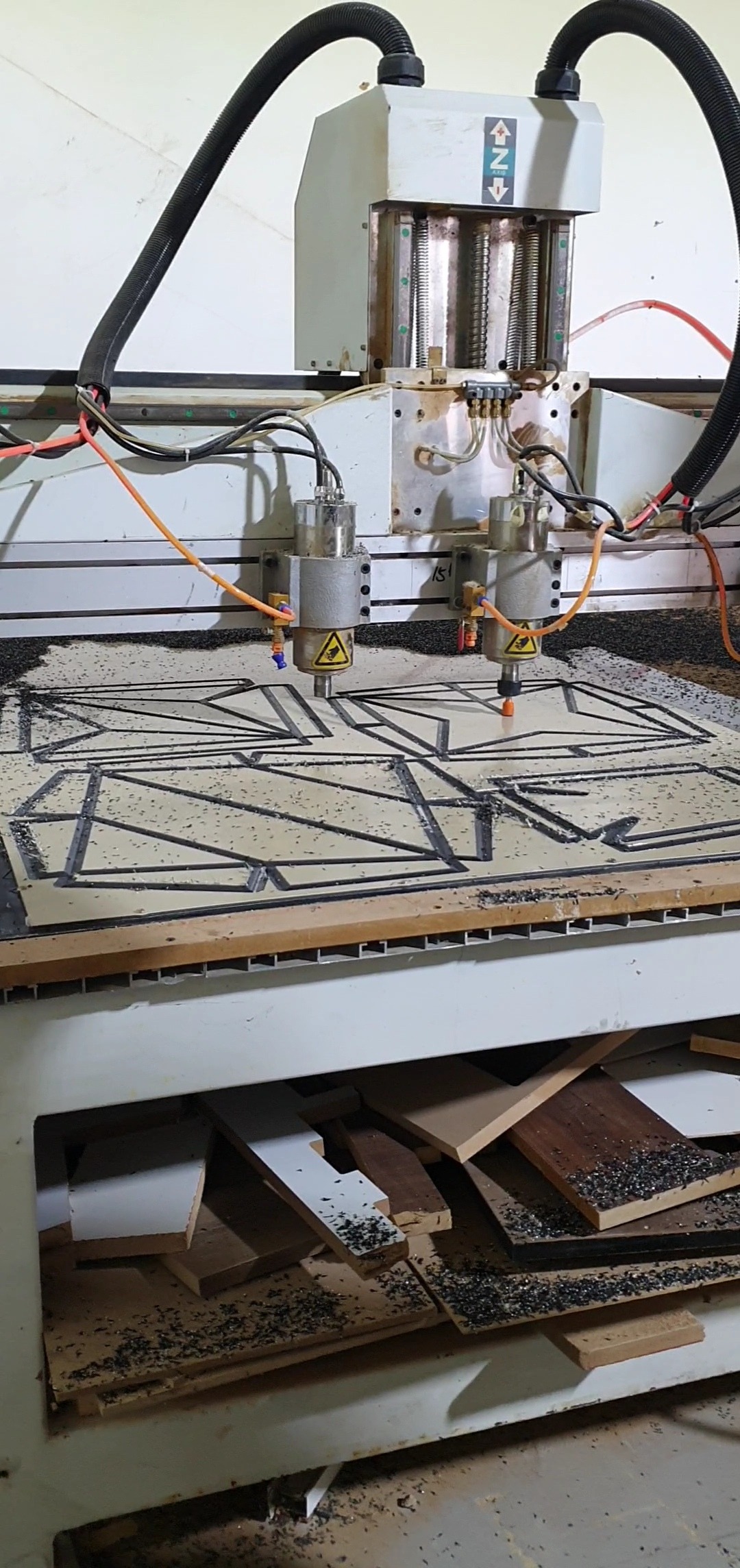
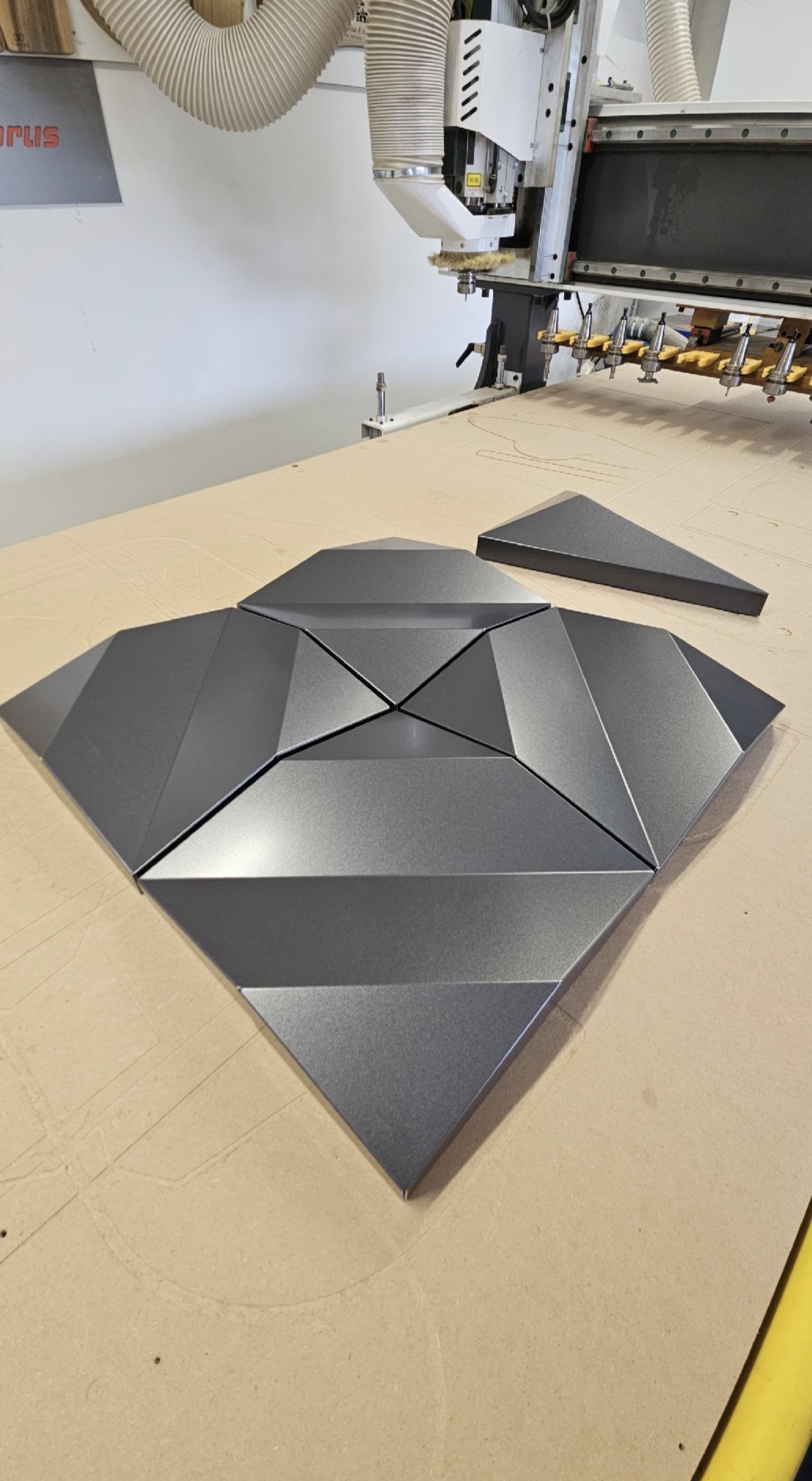
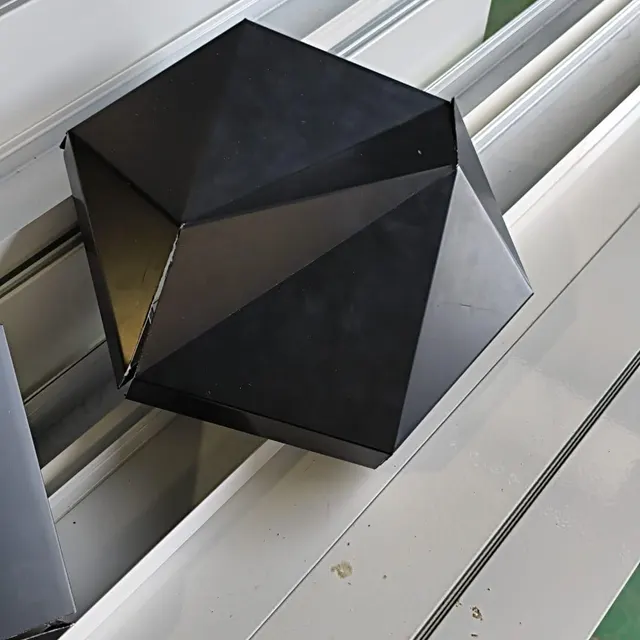
Real-world facades, signage, and panels fabricated from Plyra flat patterns.
Founder offer
One-time purchase. Founder price for the first 20 licenses from the public launch, then $199.
Commercial fabrication rights included.
By purchasing, you agree to the Plyra License Agreement and the Plyra Privacy Policy.
Prepare toolpaths, simulate machining and export G-code.
Turn your 3D geometry into flat panel patterns.
Arrange individual or mixed parts on your sheets.
Export organized cutting, folding and identification layers.
Start from ready-to-adapt ACP models.
Fold preview, bases, connectors and scaling.
Prepare quotes and invoices from your project.
Keep your version.A renewal, when offered, adds future software updates and new library releases.
Facade cladding and signage fabricators, CNC shops and makers who work with ACP and ACM, whether they run their own CNC router or work with a fabrication partner using files they are permitted to share. Files from the Plyra Design Library may not be shared or redistributed.
Yes. After initial activation and downloading your models, unfolding, nesting, Machining, quotes and DXF exports run locally on your machine without an internet connection.
Yes. Adjust a model's dimensions in Plyra, unfold it again and export a new DXF. Check the resulting geometry before machining.
Yes. Plyra is a native Windows application. Unfolding, nesting, Machining and DXF export run locally on your computer.
Plyra has been tested on 64-bit Windows 11 PCs. A minimum of 8 GB RAM is required. Windows 7, Windows 8 and Windows 8.1 are not supported. Performance depends on model complexity and graphics hardware. Machining uses OpenGL for its simulation, with Light, Balanced and High display levels; Light is intended for smaller configurations. If you are unsure about your PC, contact support before purchasing.
Windows may show a SmartScreen notice the first time you run the Plyra installer. Download Plyra only from the link in your purchase email. If you have any doubt, contact support before installing.
It turns the current nesting sheet into G-code for V-grooves and contours, with optional tabs, ramped entries and engraved labels. Work through Setup, Toolpaths, Simulate and Export, confirming each step.
Machining writes .mmg, .tap, .txt, .gcode or .nc files, according to the format you choose in Export. All G-code is written in millimetres. Check that your controller reads the format before you machine.
Export requires a confirmed simulation and a checked summary. Every file is read back and compared with the simulation before it is kept, with a text summary. Changes after simulation require recalculation. These checks do not guarantee collision-free machining.
No. There are no hidden machining defaults. Enter your tools, depths, feeds and heights, or reuse values you have saved in your library. Operations and controller choices have no preselection.
No. Machining focuses on ACP V-grooves and contour cuts in a single pass. Paths use linear segments; contour cuts keep the cutter centred on the line, without inside or outside compensation.
Yes. Add tabs automatically or place them by hand on outlines and holes. The operator remains responsible for workholding.
Yes. Machining is also a step of Multi-Nesting: it machines the sheet shown, with the same steps and checks as a project.
Yes, with the project. In Multi-Nesting, settings remain available while Plyra is open but are not saved in the Multi-Nesting file. If the nesting changes, Plyra asks you to reload the sheet. The Machining step is in English.
Yes. Import the cutting, folding and identification layers into your CAM software to prepare toolpaths and G-code. Machining adds a path to G-code inside Plyra.
No. Machining reads the current nesting sheet directly. It processes one sheet at a time.
One file per tool: _01_vgroove for V-grooves and _02_contour for contours when both operations are selected. Change the tool and zero Z again between the two files.
Yes. Select Metric (millimeters) or Imperial (feet / inches) in Settings → Display units. The setting applies throughout Plyra, including Machining. Values are stored in millimetres, so changing display units does not change your project values.
No. G-code is always written in millimetres, regardless of the display units. Keep your controller set to millimetres.
You keep using the last version of Plyra released during your 12 months, and the designs you have downloaded. A renewal, when offered, adds a new period of software updates and new Design Library releases.
Yes. Every license includes full commercial fabrication rights to cut, fold, assemble and sell physical panels and client architectural installations.
Yes. In Plyra, open Settings > License… and select Deactivate this computer, then activate Plyra on the new computer. Your license works on one computer at a time.
Yes. Within 7 days of your purchase, write to contact@plyra.software with your order number. A refund ends your license. See the Refund Policy.
Lemon Squeezy processes payments as our Merchant of Record. Available payment methods appear at checkout. Your license key and download link are sent by email after payment.